unable to connect to the shipping platform
Summary: bourgogne-amazigh reports difficulty printing shipping labels correctly via eBay, encountering a loop issue that keeps asking for their password. When trying an alternative solution with Mondial Relay, the printing does not fit their Munbyn printer, cutting off the destination information needed. lingma85 suggests taking a screenshot to adjust the print layout. francexpressdeal proposes changing the orientation to landscape mode and modifying the print settings to resolve the problem. Despite several attempts and adjustments, bourgogne-amazigh finds that the problem persists, especially with the specialized label printer for the 102x152mm format. The discussion is focused on printing solutions and dissatisfaction with eBay's service.
hi community, I hope you’re all doing well 🙂
I’ve got an issue that had already been reported 5 years ago while browsing the discussions, but there were no solutions.
when I want to create the shipping label for my parcel, it asks me to accept giving the shipping app access, so I click on " I accept", it refreshes and the page that opens asks me for my eBay password, so I do that and when it opens a new page, it’s the same one asking me to click "I accept" to give access to the shipping app... in a loop ...
so I chose to go directly through the Mondial Relay site, I linked eBay there and then the label is ready but its formatting is absolutely not suited to my Munbyn sticky-label printer, I tried the few options offered before printing but nothing works, only my contact details plus the big barcode in the middle are visible, but not the right side where the recipient info is written.
I tried again via eBay to reprint the label but it’s the same issue mentioned above...
via eBay at least it formatted the label perfectly for my printer.
honestly I’m stuck I don’t know what to do and I have two parcels that are going to be late to ship 😕
thanks for your help 🙂

bourgogne-amazigh
OPdear lingma and everyone,
thank you for your message, here are some screenshots, there is indeed the choice of paper size, and it is indeed 4.0x6.0 as the size.
when I choose the only 3 scaling options, either it is way too small, almost unreadable, or it removes the right-hand part where the codes and the recipient slip are located.
Each time I previously did the procedure via eBay to print the label, before eBay stopped working, the label formatted perfectly, meaning the left part with the big barcode in the middle, and it was below that that the recipient’s codes and info were placed. the recipient slip rectangle to put in the parcel never appeared, and I think that maybe that is what is causing the problem? default scaling
 .
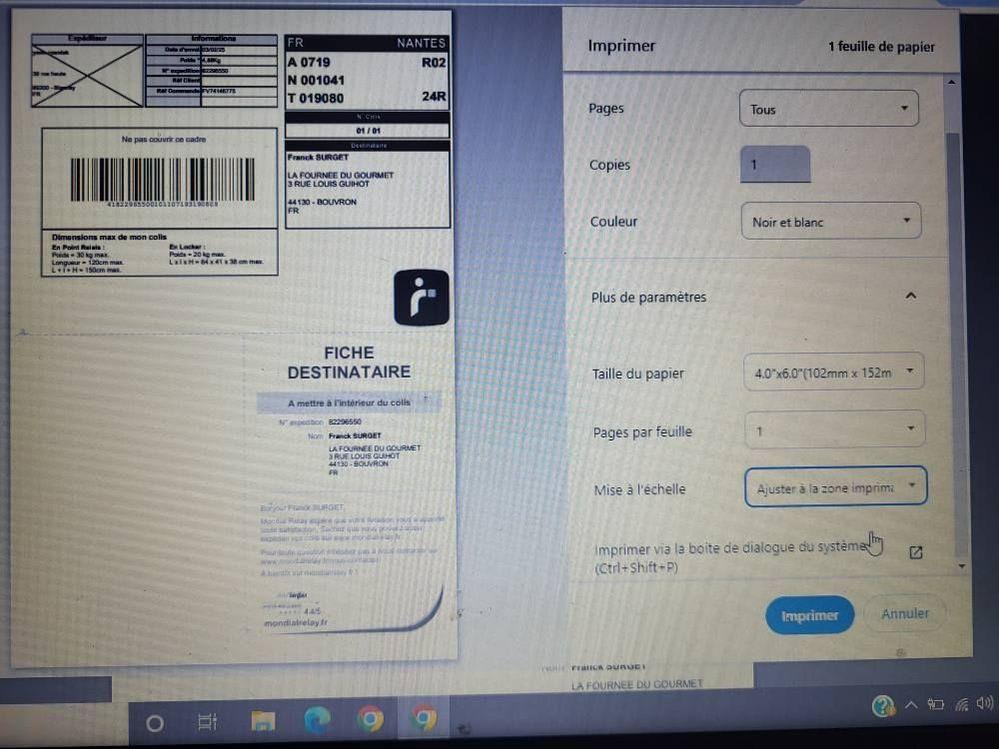 ..
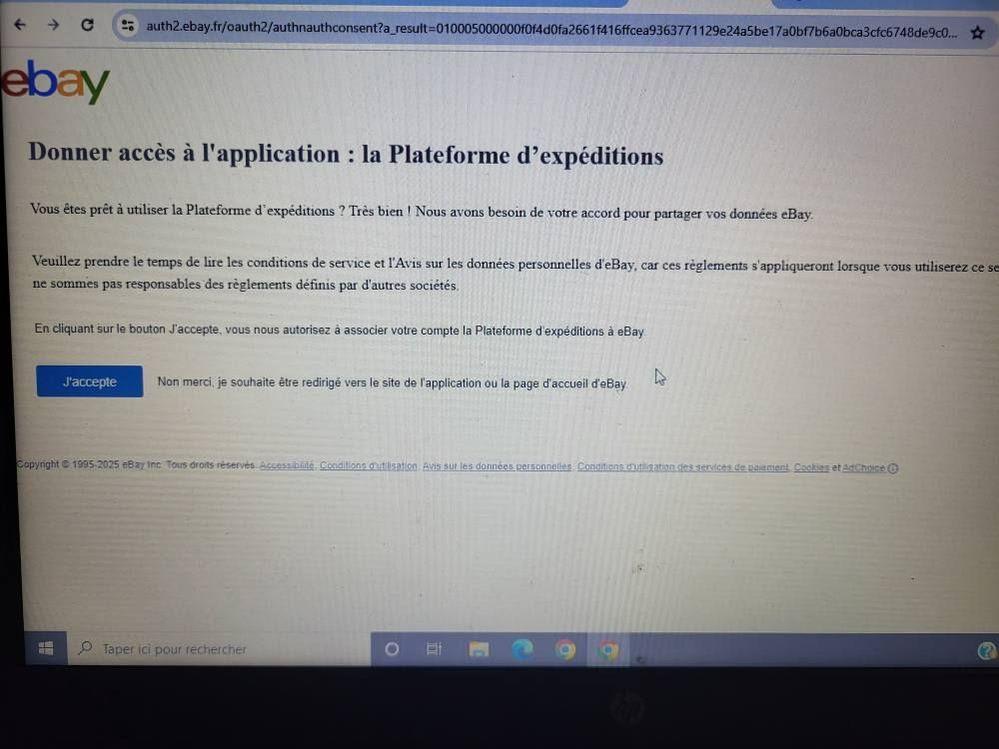 eBay request that keeps coming back
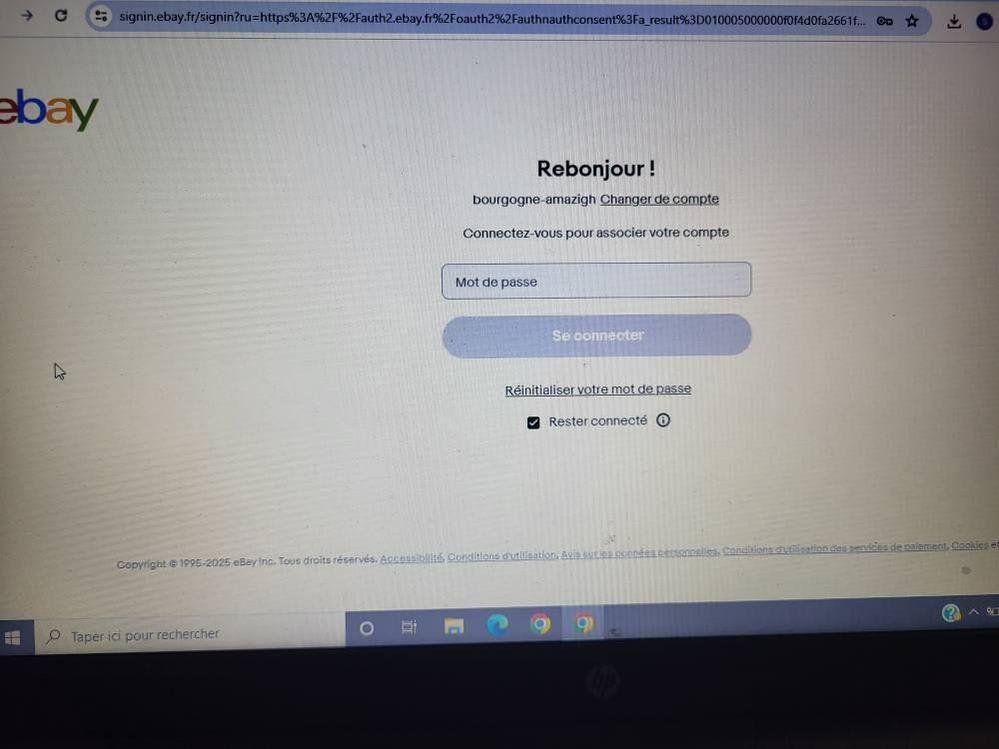 password requested over and over
francexpressdeal
Hello @bourgogne-amazigh
Have you tried setting your sheet orientation to landscape mode? You’re in portrait mode, and that explains your problems.
I don’t see that option to change on your screenshots, but normally you can switch to landscape mode by using the "print via the system dialog" function.
bourgogne-amazigh
OPI did try putting it in landscape mode, yes, but the printout is still cut off.
It's still not normal that eBay's shipping platform service doesn't work, we still pay eBay for this service and obviously there's no concrete reason
francexpressdeal
@bourgogne-amazigh
could you take a screenshot when the document is in landscape mode, please?
francexpressdeal
@bourgogne-amazigh
just to make sure of one thing: before, you therefore had this part of the form in 102mm x152mm:
And the "recipient form" part did not appear. (You said "the recipient form rectangle to place in the parcel never appeared")
Is that really what you want to end up with?
If so, keep the portrait format, but switch to A4 format (21 x 29.7 cm) and choose "fit to paper size"
All you’ll need to do is cut off the top part, which will be roughly the desired dimensions.
bourgogne-amazigh
OPIt doesn't offer me the option to put it in A4 size because the printer in question is a munbyn max format 102x152mm, they're sticky labels and thermal printing. When I get home I'll send you photos 😊
francexpressdeal
@bourgogne-amazigh
"It doesn't offer me the option to put it in A4 size because the printer in question is a Munbyn with a maximum format of 102x152mm"
Okay. So try this:
Mode: Landscape
Size: 102 x 152
Scaling: custom. And there you increase the percentage. This will result in the top part of your document taking up the whole "sheet".
The bottom part will disappear (at least partly), but apparently you’re not interested in that part.
lingma85
Hello @bourgogne-amazigh
A lead----->
Do you have the possibility of taking a screenshot of the form..?
- if so, you should be able to edit and then print it at the size of your labels...
Best regards